
Your first five minutes
No wallet. No homework. Possibly a bull.
Report for duty
Open the arena
Visit play.wickbornarena.xyz. Choose Classic for your first match. Practice does not require a wallet, WICKB, or BNB.
Pick eight different fighters
Use Customize to choose your battle squad. A tank, ranged fighter, air defense, and support make a useful starting mix. You can begin with the default squad.
Choose Practice
Select the bot difficulty and start. Your side has blue towers; your rival has red towers.
Pick a card, then a position
Select one of the four cards in your hand, then tap inside your deployment zone. The number on the card is its elixir cost.
Defend, then counterpush
Let a tough fighter take the front and support it from behind. Keep some elixir available to answer an enemy attack.
Take the crown
Destroy the enemy king tower, or lead on destroyed towers when the timer runs out. Remaining tower health breaks a tie.
Read the battlefield
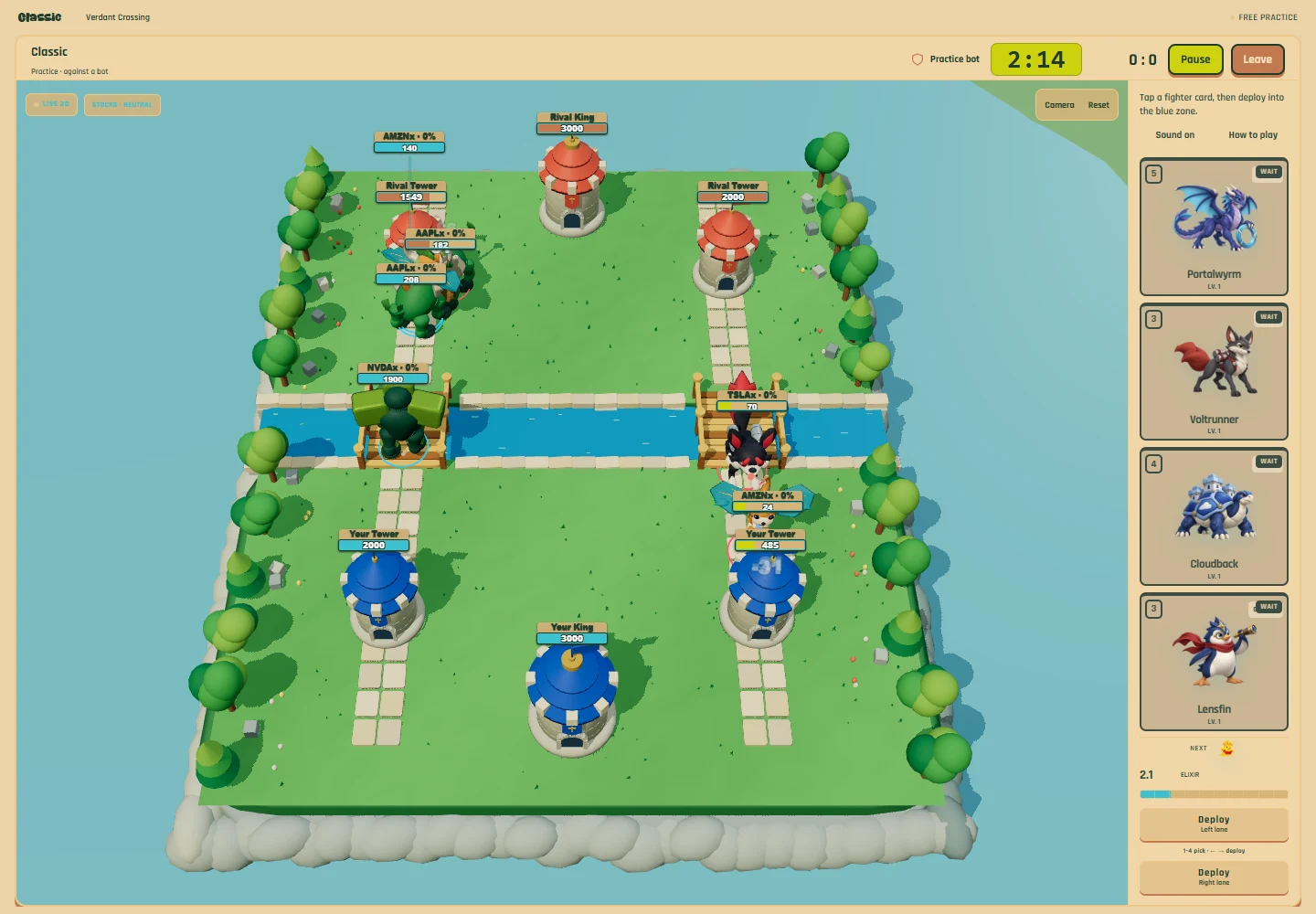
The timer shows how long remains. The score counts destroyed enemy towers. Your hand shows four available fighters, and the next-card preview shows who will cycle in. Your elixir meter refills automatically and stops at 10.
Ready to take the wheel?
Choose Skirmish, customize your captain and squad, then start practice. Tap the field to move your captain; select Skill or Ultimate and tap again to aim. Keyboard controls are listed in the Skirmish chapter.